
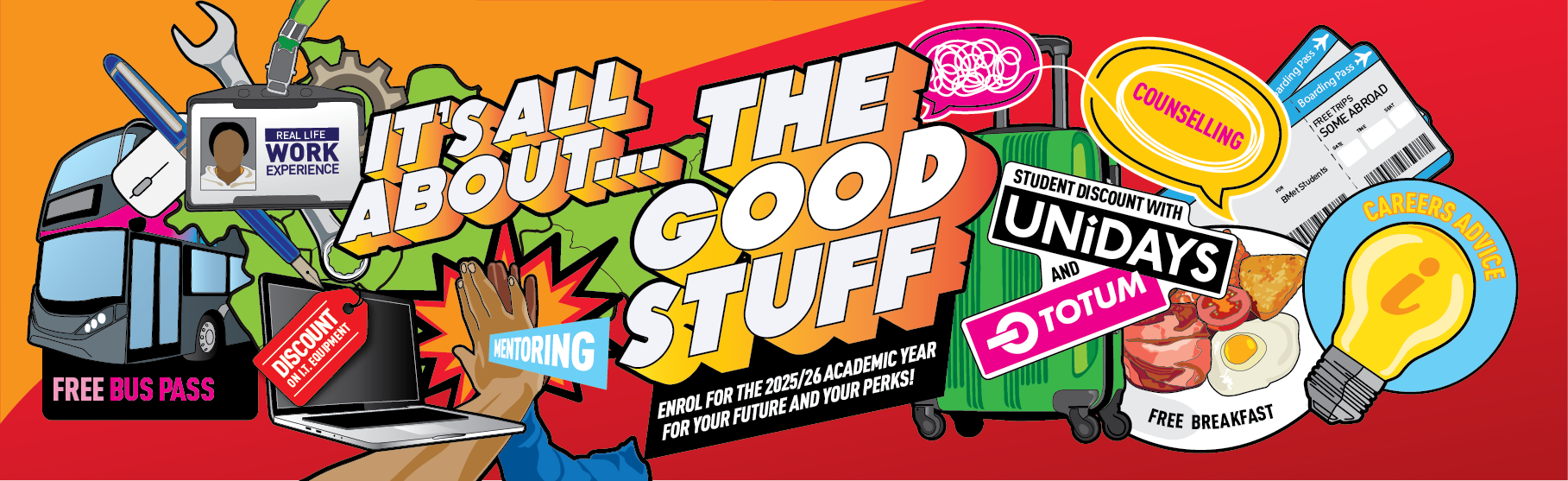
ALL THE 'GOOD STUFF' AVAILABLE TO YOU ALONGSIDE YOUR STUDIES
College life at BMet is about more than just your studies. Alongside your qualification, you’ll have access to a range of perks designed to make your time with us even better.
Your education is always the priority, with courses tailored to your goals and career ambitions. With options including A Levels, T Levels, Vocational Courses and Apprenticeships, you’ll get the very best mix of learning and real-world work experience. But we also believe in looking after you during your journey.


WHAT’S INCLUDED
As a BMet student, you’ll enjoy:
- Free travel for 16–18 year olds
- Free breakfast options to start your day right
- Free trips, including the chance to travel abroad
- Discounted IT equipment to support your studies
- Student discounts through UNIDAYS and Totem
- Performance coaching and careers advice when you need guidance
- Work experience opportunities to boost your CV
STUDENT EXPERIENCE
Hear directly from our learners about how the “Good Stuff” has helped shape their time at college and prepared them for the future.

WHAT WE HAVE TO OFFER
NATIONAL EXPRESS mTICKET
BMet has teamed up with National Express to make travelling to college even easier. With an mTicket, your student travel pass is sent directly to your mobile phone – no need to carry a card.
HOW IT WORKS NATIONAL EXPRESS mTICKET
To use an mTicket you must:
- Be an enrolled BMet student
- Have an Apple or Android device set up for the UK App Store/Play Store
If you withdraw after enrolment, your ticket will be cancelled. Don’t have a compatible phone? You can still get a card pass – just speak to our Student Services team.
TICKET TYPES
- 16–18 Student Ticket
- Over 18 Ticket (for students not entitled to a 16–18 pass)
HOW TO APPLY
- Apply to BMet for Free Public Travel or Discretionary Bursary Support.
- If eligible, you’ll receive instructions on how to collect your mTicket.
COLLECTING AND USING YOUR TICKET
- Download the National Express NX App
- Once approved, log in with your BMet email address
- Your ticket will appear on your device ready to use
IMPORTANT TO REMEMBER
- Always make sure your phone has enough battery for your entire journey
- You must be able to show your ticket when asked, or you may face penalties
- Tickets can be transferred to a new device if needed, but only a limited number of times
If you have any problems with your mTicket, please contact our Student Services team.
MOBILE APPS
Stay connected, stay organised and make life at BMet easier with our recommended phone apps. From travel passes to library tools (and even food ordering coming soon), we have got you covered.
YOUR FOOD OFFER APP (COMING SOON)
Get ready for our brand-new food app powered by Aramark. Soon you will be able to order, pay and keep up with special offers all from your phone.
SWIFT TRAVEL CARD
If your journey takes you beyond the mTicket zone or you do not have a smartphone, Swift could be the perfect option.
- Flexible and easy travel across the West Midlands
- Ideal for students outside the NX travel area
- Works for those unable to download the mTicket
Find out more and check eligibility with Student Services.
NEED HELP?
If you have any problems with any of these apps, contact our Student Services team for support.
You won’t have to miss out on important course trips because of cost. If you’re eligible for bursary support, BMet can help cover curriculum-linked visits, events and even potential trips abroad. Once enrolled, you can apply for bursary support through the Learner Landing Page or with help from Student Services.
Studying is easier when you have the right tech. Eligible students can apply for support towards laptops or course-specific kit through the Discretionary Learner Support Fund (DLSF). Applications are made after enrolment and assessed based on your household income. Ask Student Services for guidance if you’re unsure what you qualify for.
All BMet students can sign up to UNIDAYS and Totem for free. These platforms give you instant access to discounts on fashion, food, tech, travel and more. Simply register online with your BMet student email address once you’ve enrolled and start saving straight away.
Support is here whenever you need it. From performance coaching, to careers guidance, you can book appointments with the Student Experience or Careers teams through your college. If you need extra help because of financial pressures, the team can also guide you in applying for bursary support to cover things like UCAS fees or essential course costs.
BMet works closely with employers to provide placements and real-world projects as part of your course. If you’re entitled to bursary support, this can also help with any related costs such as travel or course-specific equipment. Talk to your tutor or Student Services for details when your placement is arranged.